Completing Programming Adventures with Jev
This blog has not exactly been chasing the latest trends, but I'm going to make an exception, because of two events that have aligned just in the right way. I will be going to SPLASH to present a paper The Choose-Your-Own-Adventure Calculus based on an earlier blog post (and also an OOPSLA paper about Timeline, our spreadsheet with time).
The calculus formalizes a mode of interaction between a user and a programming system where the programming system repeatedly offers a range of choices to the user and the user constructs a program by choosing one. The model is inspired by F# type providers, but it works for many other use cases, such as interactive theorem proving, structure editing or data wrangling.
One experiment we did in the paper was to see if an LLM can make the choices for you. You write what you want to do and the LLM then recommends options for you to pick, so you can review what code you get and learn what the system offers. Although we do this only for small code snippets, I think this is potentially an interesting mode of interacting with an AI. To do the experiment, we prompt an LLM along the lines of "The user wants to do this. They selected these options before. Now they have these options. Which one should they pick?"
Now the reason for this blog post is that TypeSafe AI just introduced their "System One Model" called Jev, which is an AI to do exactly the kind of work that our choose-your-own-adventure calculus models.
Published: Monday, 21 September 2026, 1:33 am
Tags:
research, academic, programming languages, thegamma, type providers
Read the complete article
Choose Your Own Adventure Calculus
The rule of three suggests that if you encounter the same pattern for the third time in your code, you should refactor it into a reusable abstraction. The same thing applies in programming language theory. When you find that you are doing the same thing for the third time, it is probably a good idea to stop and think - is there a general pattern?

Figure 1. Auto-completion list showing possible operations in The Gamma
In my PhD thesis on context-aware computations, I did exactly this. When we realised that liveness analysis, resource tracking and checking of data-flow computations all require type system with similar structure, we came up with the idea of coeffects, which is an abstraction that can capture all three (and so, you only need to add one mechanism for tracking context into your language).
Recently, the same thing happened to me again. A lot of my work has been around interaction with programming systems. I am interested in looking not just at the programming languages, but also the stateful, interactive systems they are part of - and how programs are created through interactive editor tools, gradually revised in notebook systems or how proofs are created in interactive proof assistants. And interestingly, in three recent collaborations around those ideas, we ended up finding a very similar pattern.
In multiple different systems, we encountered a pattern where the programming system iteratively offers the user (programmer, data scientist, proof theoretician) a choice of options that the user can choose from to construct or refine their program (see Figure 1). In all systems, the user can also edit the code in other ways, but a lot (sometimes everything!) can be done just by choosing options.
I now have three examples, so it is time to describe the general pattern. Earlier, we called this (jokingly) dot-driven development, (seriously) AI assistants and (foolishly) iterative prompting. For the lack of a better name, I will refer to the abstraction as the choose-your-own-adventure calculus.
Published: Sunday, 2 February 2025, 2:52 pm
Tags:
research, academic, programming languages, thegamma, type providers
Read the complete article
What can routers at Centre Pompidou teach us about software evolution?
Back in June, I was in Paris for the NewCrafts conference to talk about the growing opacity of software systems. This was fun, partly because NewCrafts is a fantastic conference (you can already get your tickets for 2024!) and also partly because my talk (arguing against many established "good engineering" practices) was in many ways arguing for the exact opposite than one of the keynotes, leading to many interesting conversations.
While in Paris, I also visited the famous Centre Pompidou. Perhaps to the dismay of many modern art lovers, I spent a lot of time staring at the ceiling looking for routers.
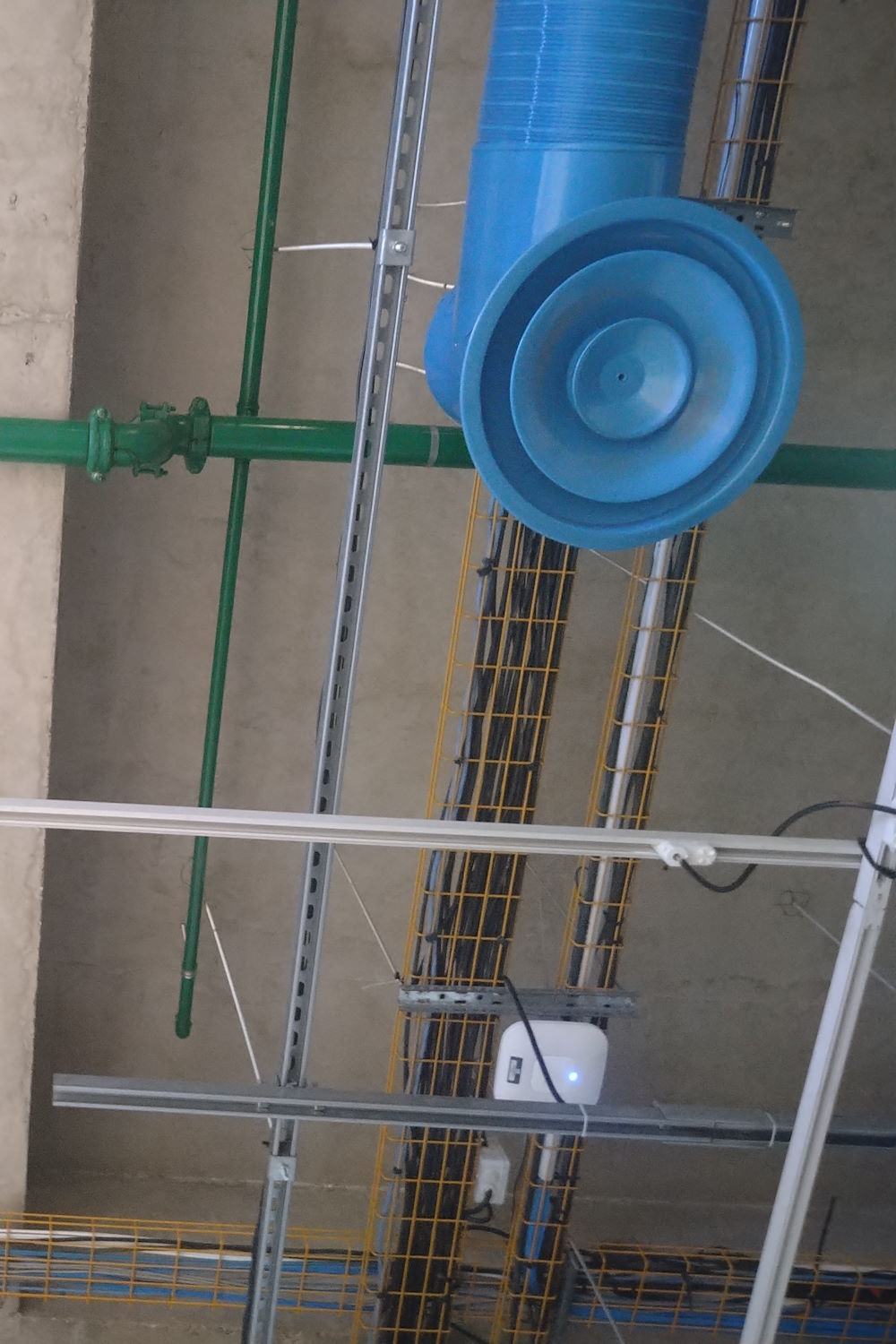
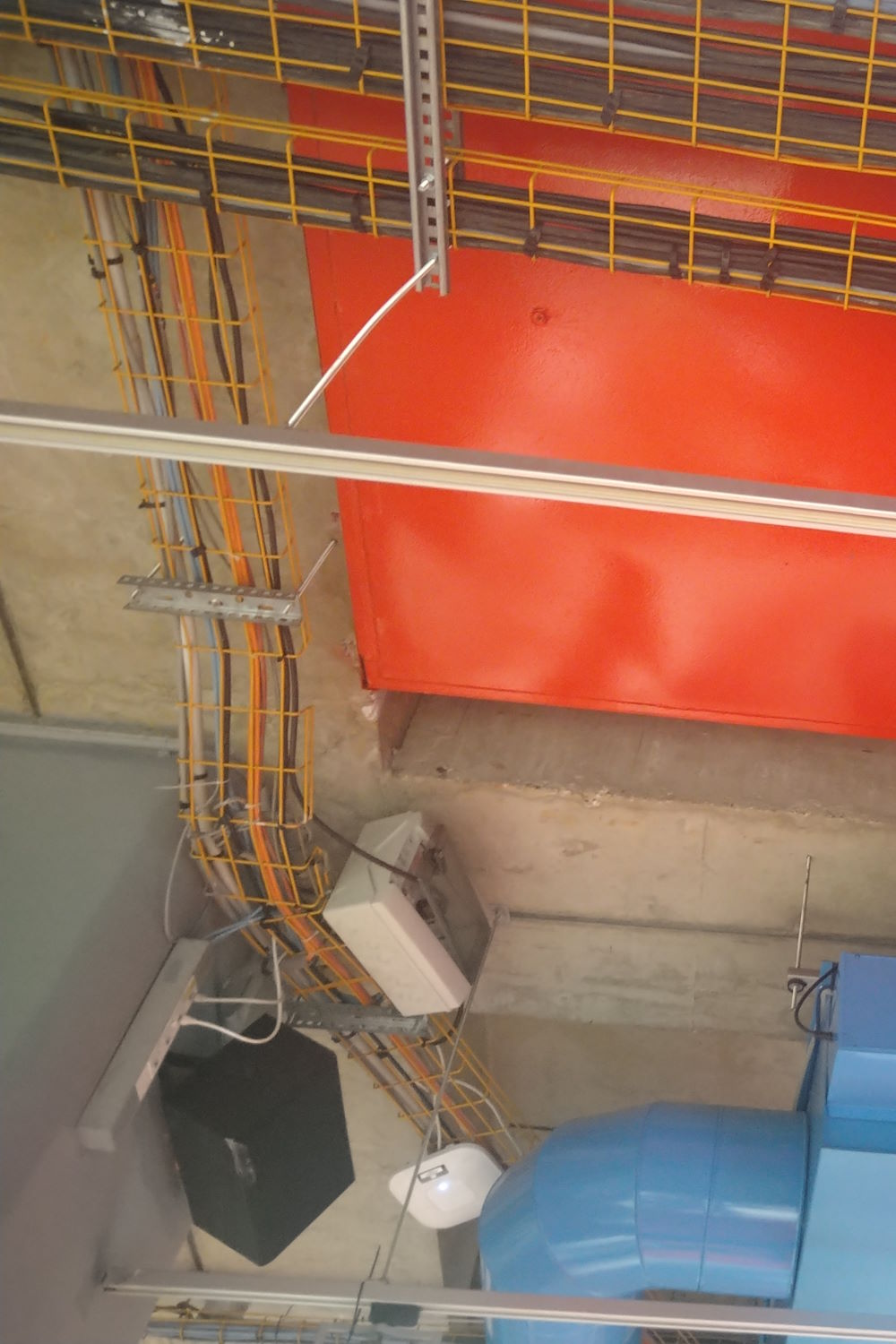
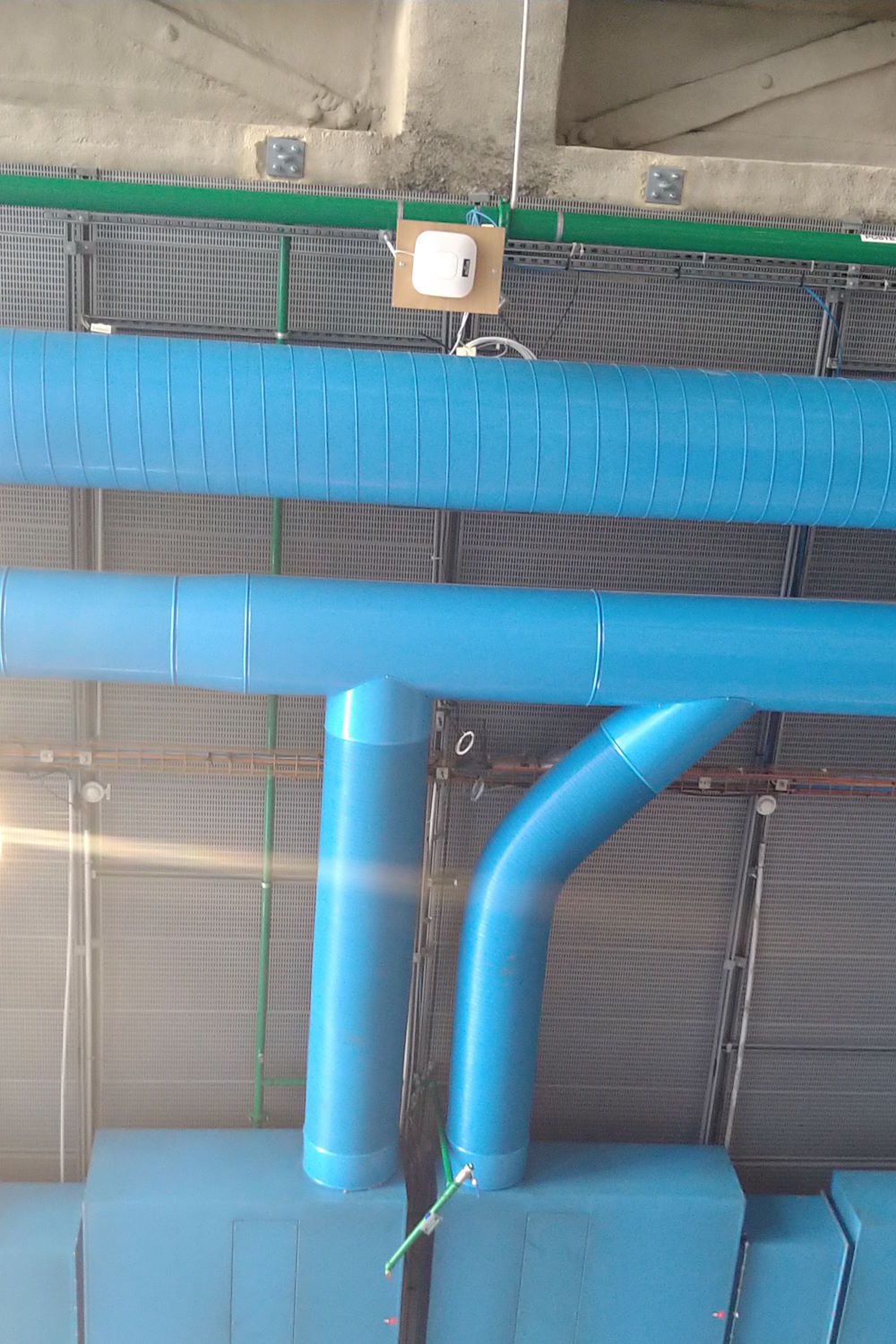
Spot the routers at Centre Pompidou!
Published: Thursday, 7 December 2023, 6:30 pm
Tags:
research, academic, programming languages, design, architecture
Read the complete article
Where programs live? Vague spaces and software systems
Architecture and urban planning have been a useful source of ideas for thinking about programming. I have written various blog posts and a paper Programming as Architecture, Design, and Urban Planning that argue why and explore some of those ideas. Like urban planning and architecture, the design of any interesting software system deals with complex problems that can rarely be analysed in full and with structures that will continue to evolve in unexpected ways after they are created.
My most recent reading on cities was a book The City Inside Out (Czech only, unfortunately) that explore places referred to as terrain vague. This term refers to unused and abandoned spaces that have lost their purpose or do not have a clear use, but are used in various ways nevertheless. For various historical reasons, there seem to be quite a few of such places in Prague (Figure 1) and, more generally, Central European cities, which is the focus of the book.
The book is an interesting inspiration for thinking about programming in many ways. It uses an inter-disciplinary approach ranging from history and philosophy to archaeobotany, which is much needed for thinking about programming too. (Not archeobotany, but inter-disciplinary thinking certainly!) More specifically, it makes you think about the concept of a space in which cities and programs exist, how the spaces inhabited by the two differ, what would it look like if they were different and what structures get created in those spaces as a result of social and technical forces.

Figure 1. Nákladové nádraží (freight railway station) Žižkov - an example of a large
space in Prague that no longer serves its original purpose (photo source)
Published: Friday, 10 February 2023, 11:44 pm
Tags:
research, academic, programming languages, design, architecture
Read the complete article
The Timeless Way of Programming
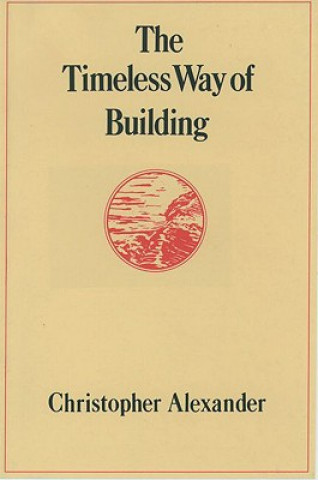
Figure 1. The Timeless Way of Building - Christopher Alexander
Many programmers know the name of the architect Christopher Alexander for his work on design patterns that has been adapted into the world of programming. A lot of people know of the, sometimes ridiculed, patterns like strategy (functions!) or visitor (pattern matching!) and some have read the Gang of Four design patterns book that introduced them. A few people know of the Patterns of Software book by Richard P. Gabriel, which is a much more profound reflection on software inspired by the work of Christopher Alexander. And almost nobody has actually read Christopher Alexander's books. (Thanks in advance for reminding me on Twitter that I am mistaken...)
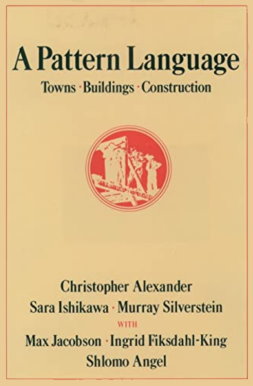
I read Alexander's Notes on the Synthesis of Form a couple of years ago, and used it as one of the sources for ideas in my recent Onward! essay on architecture, design and urban planning, but I did not know his other work. Only recently, after Christopher Alexander died, I finally ordered two books that are most directly about design patterns, The Timeless Way of Building and A Pattern Language.
This post is a somewhat unorganized collection of thoughts triggered by reading of The Timeless Way of Building, including my understanding of Alexander's work, some critical thoughts and on the applications of his ideas to software.
Published: Thursday, 1 September 2022, 2:03 am
Tags:
academic, research, programming languages, architecture, design
Read the complete article
No-code, no thought? Substrates for simple programming for all
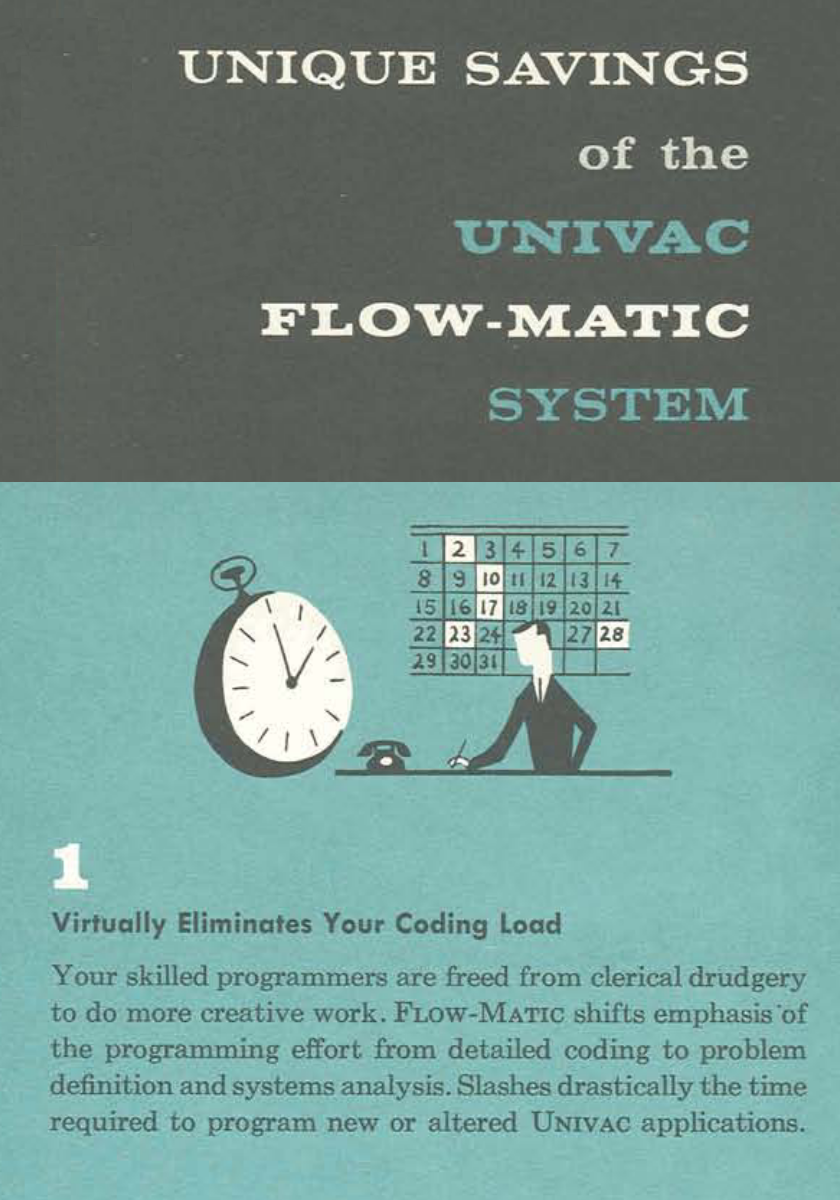
Figure 1. Virtually eliminates your coding load. FLOW-MATIC promotional brochure (1957)
No-code is a hot new topic for programming startups. The idea is to develop a system that allows end-users to do the programming they need without the difficult task of writing code. There are no-code systems for building mobile apps, analysing data and many more.
It is perhaps not a surprise that "eliminating programming load" is not as new idea as some people may think and there is an excellent blog series on no-code history by Instadeq, going back to 1959.
Funnily enough, the 1957 promotional brochure about FLOW-MATIC, a predecessor to COBOL created by Grace Hopper, uses almost the same language that you will find in startup pitch decks today (Figure 1). Of course, in 1957, coding referred to the tedious process of transcribing the desired program to low-level assembler or (more often) directly to machine code and "virtually eliminating your coding load" meant having a symbolic high-level programming language so easy that a reasonably skilled mathematician would be able to use it.
So, is there really anything new about no-code systems? Is it really possible to "eliminate your programming load"? And what would it really take to make some real progress in that direction?
Published: Thursday, 28 April 2022, 11:37 am
Tags:
academic, research, programming languages
Read the complete article
Pop-up from Hell: On the growing opacity of web programs
I started to learn how to program in high school at the end of the 1990s using a mix of BASIC, Turbo Pascal and HTML with JavaScript. The seed for this blog post comes from my experience with learning how to program in JavaScript, without having much guidance or organized resources. This article continues a theme that I started in my interactive Commodore 64 article, which is to look at past programming systems and see what interesting past ideas have been lost in contemporary systems. Unlike with Commodore 64, which I first used in 2018 in the Seattle Living Computers museum, my perspective on the Early Web may be biased by personal experience. I will do my best to not make this post sound like a grumbling of an old nerd! (I thought this only comes later, but I may have been wrong...)
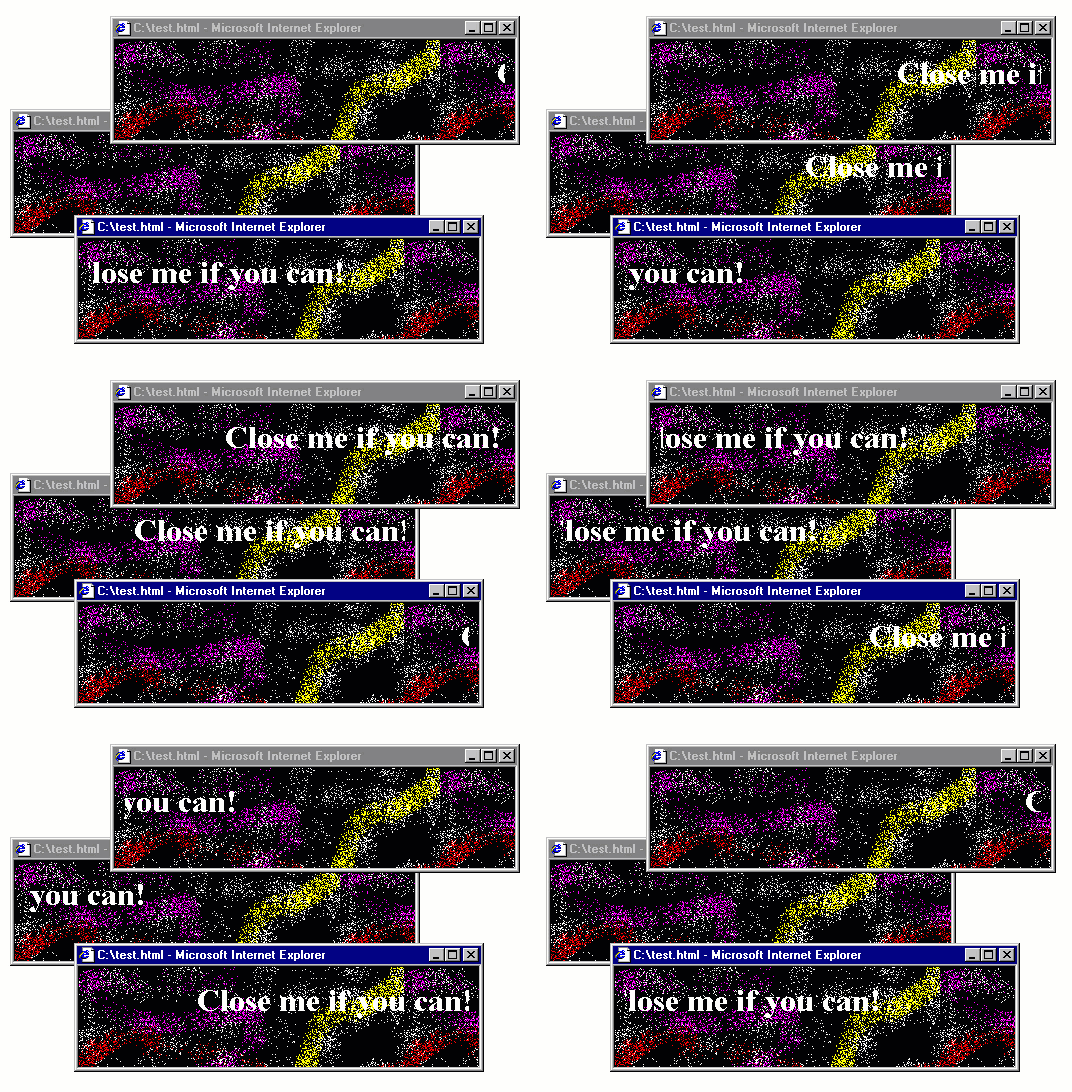
The 1990s, the web had a fair amount of quirky web pages, often created just for fun. The GeoCities hosting service, which has partly been archived is a witness of this and there are even academic books, such as Dot-Com Design documenting this history.
Some of the quirky things that you could do with JavaScript included creating roll-over effects (making an image change when mouse pointer is over it), creating an animation that follows the cursor as it moves and, of course, annoying the users with all sorts of pop-up windows for both entertaining and advertising purposes. Annoying pop-ups will be the starting point for my blog post, but I'll be using those to make a more general and interesting point about how programs evolve to become more opaque.
This blog post is based on a talk Popup from hell: Reflections on the most annoying 1990s program that I did recently at an (in person!) meeting of the PROGRAMme project. Thanks to everyone who attended for lively discussion and useful feedback!
Published: Friday, 8 October 2021, 1:14 pm
Tags:
academic, research, web, philosophy, talks
Read the complete article
Software designers, not engineers: An interview from alternative universe
While the physicists investigate the nature of the mysterious portal that has recently appeared in North London, several human beings recently came through the portal, which appears to be a gate into an alternative universe. As we understood from the last two people coming through the portal, it seems to be a linked with a universe that is in many ways like ours, reached about the same level of social and technological development, but differs in numerous curious details. The paths through which people in this alternative universe reached similar results as our world are often subtly different.
The most recent visitor from the alternative universe is Ms Zaha Atkinson, who would most likely be titled software engineer in our world, although the title she uses in her home world is software designer. She is a well-known software designer and has been also titled using the strange-sounding title softwarenova, a label that we will soon say more about. As with other technological and societal developments, the alternative universe seems to have arrived at very similar results as our worlds. Software is eating the (alternative) world, but it is built in very different ways. The interview with Ms Zaha Atkinson, presented below, reveals how very different the world of software is when we think of programmers as software designers rather than as software engineers.
This article is a work of fiction. Any resemblance to actual events or persons, living or dead, may or may not be entirely coincidental. It has been largely inspired by the book Designerly Ways of Knowing by Nigel Cross. Ms Zaha Atkinson also may or may not be entirely fictional.
Published: Monday, 19 April 2021, 2:30 pm
Tags:
academic, research, design, philosophy, architecture
Read the complete article
Is deep learning a new kind of programming? Operationalistic look at programming
In most discussions about how to make programming better, someone eventually says something along the lines of "we'll just have to wait until deep learning solves the problem!" I think this is a naively optimistic idea, but it raises one interesting question: In what sense are programs created using deep learning a different kind of programs than those written by hand?

This question recently arose in discussions that we have been having as part of the PROGRAMme project, which explores historical and philosophical perspectives on the question "What is a (computer) program?" and so this article owes much debt to others involved in the project, especially Maël Pégny, Liesbeth De Mol and Nick Wiggershaus.
Many people will intuitively think that, if you train a deep neural network to solve some a problem, you get a different kind of program than if you manually write some logic to solve the problem. But what exactly is the difference? In both cases, the program is a sequence of instructions that are deterministically executed by a machine, one after another, to produce the result.
When reading the excellent book Inventing Temperature by Hasok Chang recently, I came across the idea of operationalism, which I believe provides a useful perspective for thinking about the issue of deep learning and programming. The operationalist point of view was introduced by a physicist Percy Williams Bridgman. To quote: we mean by any concept nothing more than a set of operations; the concept is synonymous with the corresponding set of operations. What does this tell us about deep learning and programming?
Published: Wednesday, 7 October 2020, 2:43 am
Tags:
programming languages, philosophy, research
Read the complete article
Creating interactive You Draw bar chart with Compost
For a long time, I've been thinking about how to design a data visualization library that would make it easier to compose charts from simple components. On the one hand, there are charting libraries like Google Charts, which offer a long list of pre-defined charts. On the other hand, there are libraries like D3.js, which let you construct any data visualization, but in a very low-level way. There is also Vega, based the idea of grammar of graphics, which is somewhere in between, but requires you to specify charts in a fairly complex language including a huge number of transformations that you need to write in JSON.
In the spirit of functional domain specific languages, I wanted to have a small number of simple but powerful primitives that can be composed by writing code in a normal programming language like F# or JavaScript, rather than using JSON.
My final motivation for working on this was the You Draw It article series by New York Times, which uses interactive charts where the reader first has to make their own guess before seeing the actual data. I wanted to recreate this, but for bar charts, when working on visualizing government spending using The Gamma.
The code for this was somewhat hidden inside The Gamma, but last month, I finally extracted all the functionality into a new stand-alone library Compost.js with simple and clean source code on GitHub and an accompanying paper draft that describes it (PDF).
In this article, I will show how to use Compost.js to implement a "You Draw" bar chart inspired by the NYT article. When loaded, all bars show the average value. You have to drag the bars to positions that you believe represent the actual values. Once you do this, you can click "Show me how I did" and the chart will animate to show the actual data, revealing how good your guess was. Before looking at the code, you can have a look at the resulting interactive chart, showing the top 5 areas from the 2015 UK budget (in % of GDP):
Published: Thursday, 16 July 2020, 11:20 pm
Tags:
functional, functional programming, data science, thegamma, data journalism, visualization
Read the complete article
Data exploration calculus: Capturing the essence of exploratory data scripting
Most real-world programming languages are too complex to be studied using formal methods. For this reason, academics often work with simple theoretical languages instead. The λ-calculus is a simple formal language that is often used for talking about functional languages, the π-calculus is a model of concurrent programming and there is an entire book, A Theory of Objects modelling various object-oriented systems.
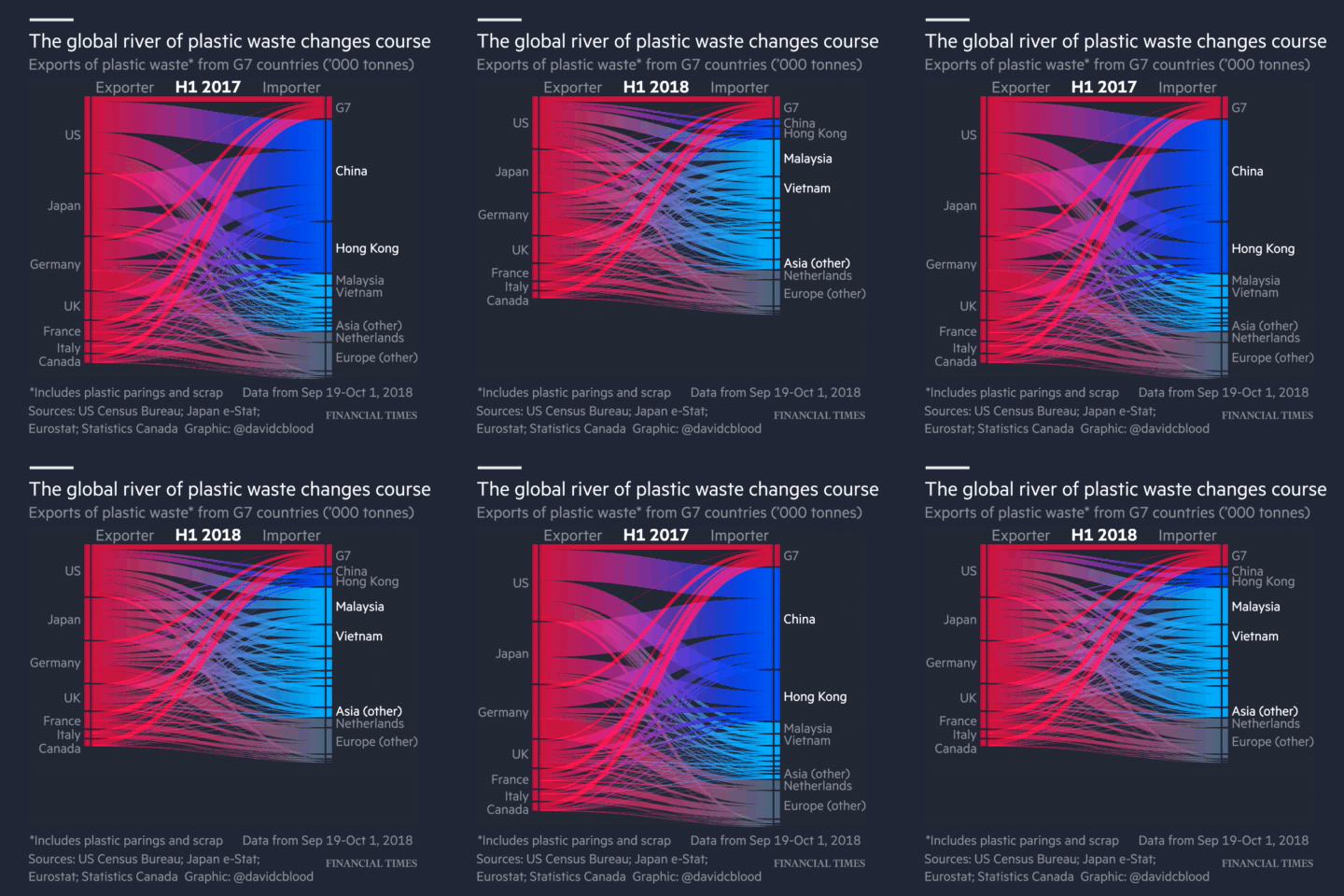
Animation from Financial Times article "Why the world's recycling system stopped working".
Those calculi try to capture the most interesting aspect of the programming language. This is function application in functional programming, sending of messages in concurrent programming and object construction with inheritance in object-oriented programming.
Recently, I have been working on programming tools for data exploration. In particular, I'm interested in the kind of programming that journalists need to do when they work with data. A good example is the coding done for the Why the world's recycling system stopped working article by Financial Times, which is available on GitHub.
Although data journalists and other data scientists use regular programming languages like Python, the kind of code they write is very different from the kind of code you need to write when building a library or a web application in Python.
In a paper Foundations of a live data exploration environment that was published in February 2020 in the open access Programming Journal, I wanted to talk about some interesting work that I've been doing on live previews in The Gamma. For this, I needed a small model of my programming language.
In the end the most interesting aspect of the paper is the definition of the data exploration calculus, a small programming language that captures the kind of code that data scientists write to explore data. This looks quite different from, say, a λ-calculus and π-calculus. It should be interesting not only if you're planning to do theoretical programming language research about data scripting, but also because it captures some of the atypical properties of the programs that data scientists write...
Published: Tuesday, 21 April 2020, 3:42 pm
Tags:
academic, research, programming languages, thegamma, data science
Read the complete article
On architecture, urban planning and software construction
Despite having the term science in its name, it is not always clear what kind of discipline computer science actually is. Research on programming is sometimes like science, sometimes like mathematics, sometimes like engineering, sometimes like design and sometimes like art. It also has a long tradition of importing ideas from a wide range of other disciplines.
In this article, I will look at ideas from architecture and urban planning. Architecture has already been an inspiration for design patterns, although some would say that we did quite poor job and imported a trivialized (and not very useful) version of the idea. However, there are many other interesting ideas in architecture and urban planning worth exploring.
To explain why learning from architecture and urban planning is a good idea, I will first discuss similarities between problems solved by architects or urban planners and programmers. I will then look at a number of concrete ideas that we can learn, mostly taking inspiration from four books that I've read recently. There are two general areas:
- First, writing about architecture and urban planning often uses interesting methodologies that research on programming could adopt to gain new insights into systems, programming and its problems.
- Second, there are a number of more concrete ideas in architecture and urban planning that might directly apply to software. For example, can programmers learn how to deal with complexity of software by looking at how urban planners deal with the complexity of cities? Or, can we learn about software maintenance by looking at how buildings evolve in time?
The nature of problems that programmers face are often more similar to the problems that architects and urban planners have to deal with than, say, the problems that scientists, engineers or mathematicians need to solve. We might not want to go all the way and completely rebuild how we do programming to mirror architecture and urban planning, but treating the ideas from those disciplines as equal to those from science or engineering will make programming richer and more productive discipline.
Published: Wednesday, 8 April 2020, 12:13 am
Tags:
academic, programming languages, philosophy, design, architecture
Read the complete article
What to teach as the first programming language and why
The number of Google search results for the phrase "choosing the first programming language" at the time of writing is 15,800. This illustrates just how debated the issue of choosing the first programming language is. In this blog post, I will not actually try to answer the question posed in the title of the post. I will not discuss what language we should teach as the first one. Instead, I will look at a more interesting question.
I will investigate the arguments that are used in favour of or against particular programming languages in computer science curriculum. I am more interested in the kind of argumentation that is employed to support a particular choice than in the specific languages involved. This approach is valuable for two reasons. First, by looking at the argumentation used, we can learn what educators consider important about computer science. Second, understanding the motivations behind different arguments allows us to make our own debates about the choice of a programming language more informed.
The scope of this blog post is limited to the choice of the first programming language taught in an undergraduate computer science programmes at universities. This means that I will not discuss other important contexts such as choices at a primary or a secondary education level, choices for independent learners and choices in other university degrees that might involve programming.
Note that this blog post is adapted from an essay that I wrote as part of a Postgrduate Certificate for Higher Education programme at University of Kent, so it assumes less knowledge about programming than a typical reader of my blog has. This makes it accessible to a broader audience thinking about education though!
Published: Monday, 2 December 2019, 5:48 pm
Tags:
functional, research, academic, programming languages, philosophy, writing
Read the complete article
What should a Software Engineering course look like?
When I joined the School of Computing at the University of Kent, I was asked what subjects I wanted to teach. One of the topics I chose was Software Engineering. I spent quite a lot of time reading about the history of software engineering when working on my paper on programming errors and I go to a fair number of professional programming conferences, so I thought I can come up with a good way of teaching it! Yet, I was not quite sure how to go about it or even what software engineering actually means.
In this blog post, I share my thought process on deciding what to cover in my Software Engineering module and also a rough list of topics. The introduction explaining why I chose these and how I structure them is perhaps more important than the list itself, but it is fairly long, so if you just want to see a list you can skip ahead to Section 2 (but please read the introduction if you want to comment on the list!) I also add a brief reflection on why I think this is a good approach, referencing a couple of ideas from philosophy of science in Section 3.
Published: Friday, 8 February 2019, 12:22 pm
Tags:
academic, teaching, philosophy
Read the complete article
Write your own Excel in 100 lines of F#
I've been teaching F# for over seven years now, both in the public F# FastTrack course that we run at SkillsMatter in London and in various custom trainings for private companies. Every time I teach the F# FastTrack course, I modify the material in one way or another. I wrote about some of this interesting history last year in an fsharpWorks article. The course now has a stable half-day introduction to the language and a stable focus on the ideas behind functional-first programming, but there are always new examples and applications that illustrate this style of programming.
When we started, we mostly focused on teaching functional programming concepts that might be useful even if you use C# and on building analytical components that your could integrate into a larger .NET solution. Since then, the F# community has matured, established the F# Software Foundation, but also built a number of mature end-to-end ecosystems that you can rely on such as Fable, the F# to JavaScript compiler, and SAFE Stack for full-stack web development.
For the upcoming December course in London, I added a number of demos and hands-on tasks built using Fable, partly because running F# in a browser is an easy way to illustrate many concepts and partly because Fable has some amazing functional-first libraries.
If you are interested in learning F# and attending our course, the next F# FastTrack takes place on 6-7 December in London at SkillsMatter. We also offer custom on-site trainings. Get in touch at @tomaspetricek or email tomas@tomasp.net for a 10% discount for the course.
One of the new samples I want to show, which I also live coded at NDC 2018, is building a simple web-based Excel-like spreadsheet application. The spreadsheet demonstrates all the great F# features such as domain modeling with types, the power of compositionality and also how functional-first approach can be amazingly powerful for building user interfaces.
Published: Monday, 12 November 2018, 1:58 pm
Tags:
f#, functional, training, fable
Read the complete article
Programming as interaction: A new perspective for programming language research
In May, I joined the School of Computing at the University of Kent as a Lecturer (equivalent of Assistant Professor in some other countries). When applying for the job, I spent a lot of time thinking about how to best explain the kind of research that I would like to do. This blog post is a brief summary of my ideas. I'm interested in way too many things, including philosophy and design and data journalism, but this post will be mainly about programming language research. After all, I'm a member of the Programming Languages and Systems group!

Unlike some of my other posts about programming languages, I won't try to convince you that we should be studying programming languages completely differently this time. Instead, I want to describe one simple trick that will make current programming language research much more interesting!
A lot of programming language papers today talk about programs and program properties. In statically typed programming languages, we can check that a program \(e\) has certain type \(\tau\), which means that, when the program is run, it will only produce values of the type. This is very nice, but it misses a fundamental thing about programming. How was this program \(e\) actually constructed?
When programming, you spend most of your time working with programs that are unfinished. This means that they do not do what they are supposed to be (eventually) doing and, very often, they are not well-typed or even syntactically invalid. However, that does not mean that we can afford to ignore them. In many cases, programmers can even run those programs (using REPL or using a notebook environment). In other words, programming language research should not study programs, but should instead study programming!
I'm also writing this because I'll soon be looking for collaborators and PhD students, so if the ideas in this blog post sound interesting to you or if you've been working on something related, please let me know! You can get in touch at @tomaspetricek or email tomas@tomasp.net.
We'll have funding for PhD students from September 2019 and I'm also working on getting money for a post-doc position. All of these are open ended, so if the blog post made you curious (and you wouldn't mind living in Canterbury or London), definitely reach out!
Published: Monday, 8 October 2018, 1:22 pm
Tags:
academic, research, programming languages, data science
Read the complete article
Would aliens understand lambda calculus?
Unless you are a sci-fi author or some secret government agency, the question whether aliens would understand lambda calculus is probably not your main practical concern. However, the question is intriguing because it nicely vividly formulates a fundamental question about our formal mathematical knowledge. Are mathematical theories and results about them invented, i.e. constructed by humans, or discovered, i.e. are they eternal truths that exist regardless of whether there are humans to know them?
The question makes for a fantastic late night pub debate, but how can we go about answering it using a more serious methodology? Is there a paper one can read to better understand the problem? Occasionally, a talk or an online comment by a computer scientist comments on this question, but way too often, people miss the fact that the nature of mathematical entities is one of the fundamental questions of philosophy of mathematics. Alas, all those discussions are carefully hidden in the humanities department!
I believe that knowing a bit about philosophy of mathematics is important if we want to have a meaningful debate about philosophical questions of mathematics (sic!) and so I did a talk on this very subject at CodeMesh 2017. This article is slightly refined and hopefully more polished version of the talk for those who, like me, prefer reading over watching. Keep in mind that the question about the nature of mathematical entities is one of the fundamental questions of an entire academic discipline. As such, this article cannot possibly cover all the relevant discussions. Compared to some other writings in this space, this article is, at least, based on a couple of philosophical books that, I believe, have useful things to say on the subject!
Published: Tuesday, 22 May 2018, 11:27 am
Tags:
academic, research, programming languages, philosophy
Read the complete article
The design side of programming language design
The word "design" is often used when talking about programming languages. In fact, it even made it into the name of one of the most prestigious academic programming conferences, Programming Language Design and Implementation (PLDI). Yet, it is almost impossible to come across a paper about programming languages that uses design methods to study its subject. We intuitively feel that "design" is an important aspect of programming languages, but we never found a way to talk about it and instead treat programming languages as mathematical puzzles or as engineering problems.
This is a shame. Applying design thinking, in the sense used in applied arts, can let us talk about, explore and answer important questions about programming languages that are ignored when we limit ourselves to mathematical or engineering methods. I think the programming language community is, perhaps unconsciously, aware of this - one of the reviews of my recent PLDI paper said "this is a nice, novel design paper, and the community often wants more design papers in our conferences". The problem is that we we do not know how to write and evaluate work that follows design methodology.
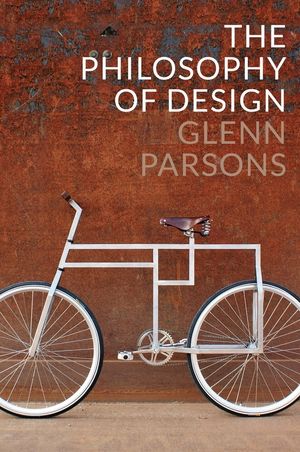
To better understand how design works, I recently read The Philosophy of Design by Glenn Parsons. The book perhaps did not answer many of my questions about design, but it did give me a number of ideas about what design is, what questions it can explore and how those could be relevant for the study of programming languages...
Published: Tuesday, 12 September 2017, 6:42 pm
Tags:
academic, research, programming languages, philosophy, design
Read the complete article
Getting started with The Gamma just got easier
Over the last year, I have been working on The Gamma project, which aims to make data-driven visualizations more trustworthy and to enable large number of people to build visualizations backed by data. The Gamma makes it possible to create visualizations that are built on trustworthy primary data sources such as the World Bank and you can provide your own data source by writing a REST service.
A great piece of feedback that I got when talking about The Gamma is that this is a nice ultimate goal, but it makes it hard for people to start with The Gamma. If you do not want to use the World Bank data and you're not a developer to write your own REST service, how do you get started?
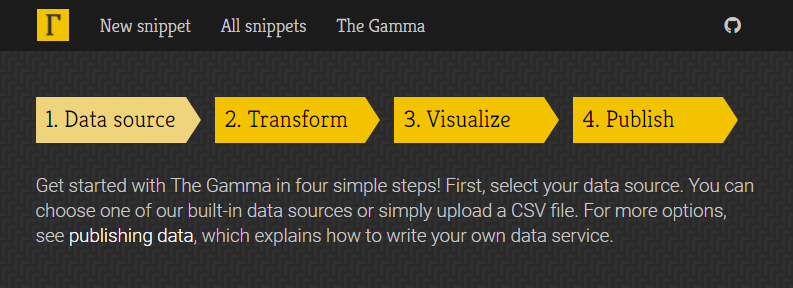
To make starting with The Gamma easier, the gallery now has a new four-step getting started page where you can upload your data as a CSV file or paste it from Excel spreadsheet and create nice visualizations that let your reader explore other aspects of the data.
Head over to The Gamma Gallery to check it out or continue reading to learn more about creating your first The Gamma visualization...
Published: Wednesday, 14 June 2017, 2:27 pm
Tags:
thegamma, data journalism, data science, research, visualization
Read the complete article
Papers we Scrutinize: How to critically read papers
As someone who enjoys being at the intersection of the academic world and the world of industry, I'm very happy to see any attempts at bridging this harmful gap. For this reason, it is great to see that more people are interested in reading academic papers and that initiatives like Papers We Love are there to help.
There is one caveat with academic papers though. It is very easy to see academic papers as containing eternal and unquestionable truths, rather than as something that the reader should actively interact with. I recently remarked about this saying that "reading papers" is too passive. I also mentioned one way of doing more than just "reading", which is to write "critical reviews" – something that we recently tried to do at the Salon des Refusés workshop. In this post, I would like to expand my remark.
First of all, it is very easy to miss the context in which papers are written. The life of an academic paper is not complete after it is published. Instead, it continues living its own life – people refer to it in various contexts, give different meanings to entities that appear in the paper and may "love" different parts of the paper than the author. This also means that there are different ways of reading papers. You can try to reconstruct the original historical context, read it according to the current main-stream interpretation or see it as an inspiration for your own ideas.
I suspect that many people, both in academia and outside, read papers without worrying about how they are reading them. You can certainly "do science" or "read papers" without reflecting on the process. That said, I think the philosophical reflection is important if we do not want to get stuck in local maxima.
Published: Wednesday, 12 April 2017, 3:05 pm
Tags:
academic, programming languages, philosophy
Read the complete article